u/Top-Ad-3968

AI Automation by Moritz
▲ 2 r/Anki+1 crossposts

AI Automation by Moritz

AI Automation for Anki: improve lots of notes faster with AI-powered Browser actions and workflows

Demo video:
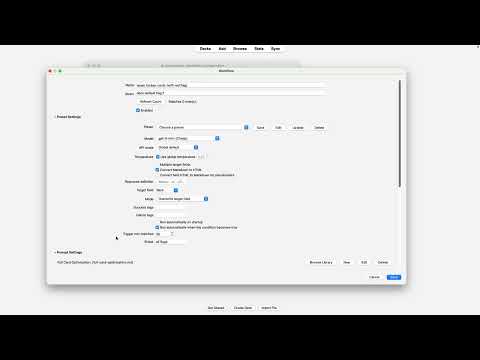
Watch the demo video

You can use it for things like:

  • clean up messy cards
  • rewriting explanations more clearly
  • improving cloze cards
  • generating better field content
  • standardizing lots of notes at once
  • running repeatable note-update workflows

The main idea is simple: improve lots of notes faster without manually rewriting everything by hand.

You can select notes in the Anki Browser, right-click, and use Transform with AI for a one-off run, or create reusable workflows that run against Browser selections, saved searches, or workflow groups.

Some of the main features:

  • Transform with AI directly from the Browser
  • saved prompts, system prompts, and presets
  • reusable workflows and workflow groups
  • overwrite, append, and skip if target field not empty
  • single-field or multi-field output
  • progress feedback while notes are processing

If you already use Anki and want easier AI-assisted note maintenance inside the app itself, this might be useful.

Links

u/Top-Ad-3968 — 12 hours ago
▲ 1 r/Anki

The AI Automation Addon for Anki: improve your flashcards with AI in one click (FOR FREE! you need your own api key)

Anki AI Automation

I built AI Automation, an Anki add-on that helps you update and improve notes with AI directly inside Anki.

If you've ever wanted to:

- clean up messy cards
- rewrite explanations more clearly
- improve cloze cards
- optimize cards for retention
- generate better field content
- run the same prompt across lots of notes

that's exactly what AI Automation is for.

You can select notes in the Anki Browser, right-click, and use `Transform with AI` to send a prompt and write the result back into one or more fields.

It also supports saved workflows, so instead of repeating the same setup every time, you can create reusable automations for specific note types, searches, workflow groups, or recurring study tasks.

## Highlights

- Run AI transforms from the Browser on selected notes or cards
- Save reusable prompts and system prompts
- Write results to one or multiple fields
- Use `append`, `overwrite`, or `skip if target field not empty`
- Preview estimated token and cost usage before sending
- Process notes in batches with retries and timeouts
- Run reusable workflows from saved searches and optional triggers

The goal is simple: make it easier to maintain a high-quality Anki collection without doing all the repetitive editing by hand.

If you already use Anki and OpenAI, I'd love to hear what kinds of note transformations or workflow ideas you'd want most.

reddit.com
u/Top-Ad-3968 — 14 hours ago