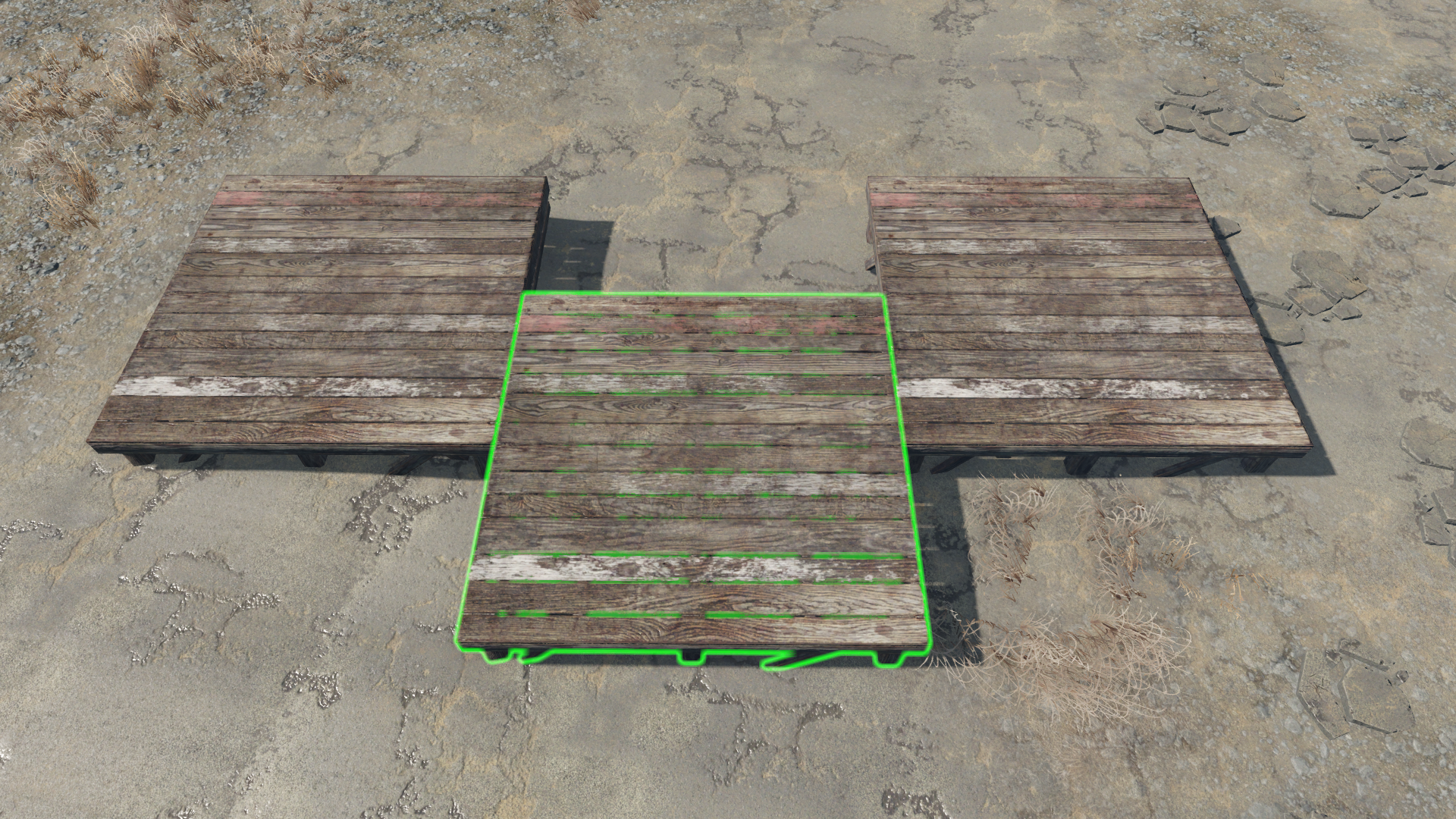
![[FO4][Place Everywhere] adding steps to movement.](https://external-preview.redd.it/gUoIksWC0cKd_Hmt0C4ijzRc055nMXWxbiswqsGsLlY.jpeg?width=320&crop=smart&auto=webp&s=dc8a94abbaf1a0d8c3f526f2f851c2bb5e77422a)
[FO4][Place Everywhere] adding steps to movement.
Not sure how common this knowledge is, but I thought it might be worth mentioning a build tip as my first post.
When building using the Place Everywhere mod, players can move, rotate and scale highlighted (not held) objects in the gameworld using the numeric keypad. It is also easy to change increments (steps) that the object will move/rotate/scale each time the specific key is pressed. This allows 'nudging' objects by mouse-over highlighting it and tapping the keys instead of holding the object and using player movement keys. Squaring things up by tapping rotate set to 0.01. Much finer precision of placement is possible.
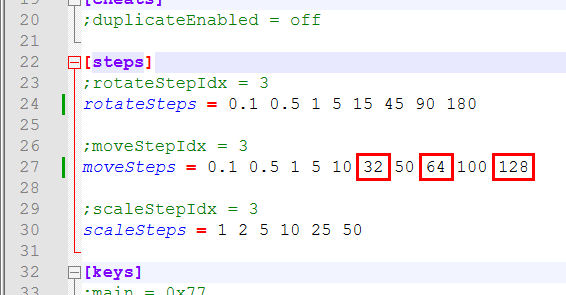
The point of this post is to alert players who use this mod that it's .ini file (Data\F4SE\Plugins\place.ini) can be modified to add extra steps which can make building a lot easier for those like me who more or less want the things I place to line up as precisely as possible.
I discovered that a foundation, among many other construction objects, are 256 of these 'step' units square. Which means that if I set movement steps to 100 and tap once, then to 10 and tap twice, then to 5 and tap once, then to 1 and tap three times, I will have moved the highlighted foundation 128 units, or exactly half width. Or set it to 10 and tap three times, then to 1 and tap twice for precise 1/8 width movements.
So editing Place Everywhere's .ini to add extra 'steps' is the point. My [Steps] section looks like this:
Now I can do this with one tap: